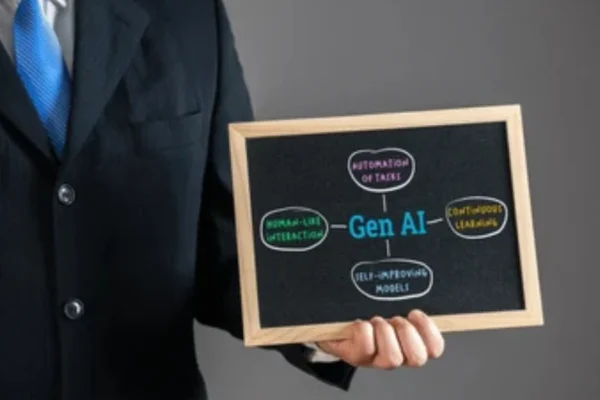
Artificial intelligence is changing how people work, helping employees and businesses complete tasks faster, reduce repetitive work and make better decisions. Understanding how to use AI to improve productivity can give professionals in Nigeria a practical advantage, whether they work in an office, manage a business, provide services or operate remotely.
From drafting emails and analysing information to organising schedules and automating routine processes, AI tools can support many everyday workplace activities. However, getting the best results requires more than simply using AI applications. You need to understand which tasks are suitable for AI, how to give clear instructions and how to review the results.
This guide explains practical ways to use AI to improve workplace productivity, highlights useful tools and provides examples that professionals can apply to their daily responsibilities.
What Does AI Productivity Mean?
AI productivity refers to using artificial intelligence tools and systems to complete work more efficiently. These tools can assist with tasks such as writing, research, data analysis, communication, planning and information management.
Instead of spending hours on repetitive activities, employees can use AI to handle certain parts of their workload. This allows them to concentrate on responsibilities that require human judgement, creativity, communication and problem-solving.
For example, an administrative officer who regularly prepares meeting summaries can use an AI tool to organise notes into a structured report. A marketing professional can use AI to generate content ideas, while an accountant can use AI-enabled spreadsheet tools to help analyse financial information.
AI does not necessarily replace the employee. It can act as a productivity assistant that supports existing skills and improves the way work is completed.
Why Use AI to Improve Productivity at Work?
Many professionals spend a considerable amount of time on routine tasks, searching for information, preparing documents and managing communication. AI can reduce the effort involved in these activities.
Here are some important reasons to introduce AI into everyday work.
Save Time on Repetitive Tasks
AI tools can help employees complete routine activities such as drafting emails, summarising documents, organising information and preparing reports.
For example, instead of manually creating a first draft of a weekly report, an employee can provide relevant information to an AI assistant and ask it to organise the details into a professional format.
The employee can then review and edit the draft before sharing it.
Improve Work Quality
AI can assist with spelling, grammar, structure, calculations and content organisation. These capabilities can help employees identify mistakes and produce more consistent work.
For instance, a professional preparing a business proposal can use AI to improve sentence clarity, organise sections and identify areas that need further explanation.
Human review remains important, particularly when documents contain financial, legal or sensitive business information.
Make Better Use of Working Hours
When AI handles parts of repetitive work, employees can dedicate more time to higher-value responsibilities.
This may include:
Support Faster Decision-Making
AI tools can process and organise large amounts of information, helping professionals identify patterns, compare options and prepare summaries.
For example, a business manager can use AI to organise customer feedback into common themes. This can make it easier to identify recurring complaints and areas for improvement.
However, AI-generated analysis should be checked against reliable information before important decisions are made.
Practical Ways to Use AI to Improve Productivity at Work
The most effective way to use AI is to connect it with specific workplace responsibilities. Rather than adopting every available tool, identify activities that consume time and determine whether AI can make them easier.
Use AI to Write and Respond to Emails
Email communication is an important part of many professional roles. However, writing, editing and responding to messages can take up a significant portion of the working day.
AI writing assistants can help employees:
For example, an employee can use the following prompt:
Example prompt:
Act as a professional business communication assistant. Write a polite and concise email to a client explaining that their requested document will be delivered by Friday. Use a professional and friendly tone.
The AI tool can generate an initial draft that the employee can review and personalise.
This approach is useful for customer service representatives, administrative officers, managers, sales professionals and business owners.
Use AI for Research and Information Gathering
Research is another activity where AI can save time. Professionals often need to gather information about customers, competitors, industry developments, products and business opportunities.
AI tools can help by:
For example, a marketing professional researching customer preferences can use AI to organise survey responses into categories.
However, AI-generated information is not always accurate or current. Important statistics, legal requirements, market information and business facts should be verified using trustworthy sources.
Use AI to Create Reports and Business Documents
Preparing reports and business documents can involve collecting information, organising data and writing detailed explanations.
AI can assist with creating first drafts of:
For example, a project manager can provide key project updates and ask an AI assistant to organise them into a report covering completed activities, outstanding tasks, challenges and next steps.
The project manager should check the information and ensure that the final document accurately represents the project’s progress.
Use AI for Data Analysis
Employees in finance, administration, sales and operations frequently work with spreadsheets and business data.
AI-enabled tools can help users understand datasets, identify patterns and prepare summaries without manually performing every step.
Practical applications include:
For example, a sales manager can use an AI-enabled spreadsheet assistant to compare monthly sales figures and identify products with declining performance.
Tools such as Microsoft Excel with Copilot and Power BI with AI capabilities can support data-related activities, depending on the available subscription and features.
Always verify calculations and protect confidential business data when using AI-powered analysis.
Use AI to Manage Tasks and Projects
Managing several responsibilities at once can make it difficult to maintain focus. AI tools can help employees organise tasks, plan activities and structure project work.
You can use AI to:
For example, an employee responsible for organising a corporate training programme can ask AI to develop a task list covering course preparation, participant registration, communication, training delivery and feedback collection.
AI can help structure the plan, while the employee remains responsible for assigning tasks, managing deadlines and monitoring progress.
Use AI for Presentations
Preparing presentations often requires research, content development and slide organisation.
AI presentation tools can help professionals develop outlines, suggest slide titles, summarise information and create initial presentation drafts.
Common workplace applications include:
For example, a team leader can provide information about a new workplace policy and ask AI to create a presentation outline for an employee briefing.
The final slides should be checked for accuracy, clarity and relevance to the intended audience.
Use AI for Customer Service
Businesses can use AI to improve customer communication and support operations.
AI-powered chatbots and customer service assistants can help answer frequently asked questions, direct enquiries and provide basic information.
Possible applications include:
For Nigerian businesses, these applications can be useful in sectors such as retail, banking, telecommunications, hospitality, education and professional services.
However, customer-facing AI systems should be monitored. Complex complaints, sensitive enquiries and situations requiring judgement should be handled by qualified employees.
Use AI for Meeting Preparation and Follow-Ups
Meetings are essential for communication and decision-making, but preparing for them and documenting their outcomes can take time.
AI can help employees prepare meeting agendas, organise discussion points and turn notes into action items.
For example, after a team meeting, an employee can provide non-confidential notes to an AI assistant and request a structured summary containing:
This makes it easier to communicate meeting outcomes and track responsibilities.
Always obtain appropriate consent before recording or transcribing meetings, and follow your organisation’s privacy policies.
Best AI Tools for Workplace Productivity
Several AI applications can support different workplace activities. The right choice depends on the type of work, the tools your organisation already uses and your budget.
Here are some popular options.
|
AI Tool |
Main Productivity Uses |
|
ChatGPT |
Writing, research assistance, brainstorming, summarising and problem-solving |
|
Microsoft Copilot |
Assistance with Microsoft 365 tasks, including documents, spreadsheets and presentations, depending on the plan |
|
Google Gemini |
Writing, research assistance, summarising and Google Workspace support |
|
Claude |
Document analysis, writing, summarisation and structured reasoning |
|
Grammarly |
Grammar, spelling, clarity and writing improvements |
|
Notion AI |
Note organisation, document summaries and workspace productivity |
|
Canva AI |
Presentation design, content creation and visual materials |
|
Zapier |
Connecting applications and automating workflows |
|
Otter.ai |
Meeting transcription and summaries, subject to available features |
|
Power BI |
Business intelligence, data visualisation and AI-assisted analysis |
These tools have different capabilities, pricing structures and subscription requirements. Some features may only be available on paid plans or in supported regions.
ChatGPT for Everyday Workplace Tasks
ChatGPT can assist with a wide range of professional activities, including writing, research, planning, summarisation and brainstorming.
Employees can use it to prepare email drafts, explain unfamiliar topics, organise project ideas and create structured documents.
For example, a human resources professional can ask ChatGPT to prepare a first draft of an employee onboarding checklist.
Microsoft Copilot for Office Productivity
Microsoft Copilot can support professionals who use Microsoft 365 applications.
Depending on the subscription and available features, it can assist with drafting documents, summarising information, analysing spreadsheet data and preparing presentations.
It may be particularly useful for organisations that already depend on Microsoft Word, Excel, PowerPoint and Outlook.
Google Gemini for Workplace Assistance
Google Gemini can help with writing, brainstorming, summarisation and information organisation.
Its integration with Google Workspace, where available under the relevant plan, can support tasks involving Gmail, Docs, Sheets and other applications.
Grammarly for Professional Communication
Grammarly helps users improve written communication by identifying grammatical errors, spelling issues and opportunities to improve clarity.
It can be useful when preparing business emails, reports, proposals and other professional documents.
Zapier for Workflow Automation
Zapier connects different applications and allows users to automate certain repetitive processes.
For example, a business may configure an automated workflow that sends information from a website form to a spreadsheet or customer management application.
This can reduce manual data entry and help teams manage routine processes more efficiently.
AI Productivity Examples Across Different Job Roles
AI is not limited to technology professionals. Employees in different departments can use it to improve everyday work.
|
Job Role |
Practical AI Applications |
|
Administrative Officers |
Email drafting, document preparation, scheduling and meeting summaries |
|
Human Resources Professionals |
Job description drafts, onboarding materials and training plans |
|
Marketing Professionals |
Content ideas, campaign planning, market research and copywriting |
|
Accountants |
Spreadsheet assistance, financial summaries and report preparation |
|
Sales Representatives |
Customer communication, proposal drafts and lead research |
|
Customer Service Officers |
Response suggestions, enquiry categorisation and FAQ preparation |
|
Project Managers |
Project plans, task lists, progress reports and risk identification |
|
Teachers and Trainers |
Lesson outlines, learning materials and assessment question drafts |
|
Business Owners |
Business planning, customer research and workflow organisation |
|
Data Analysts |
Data summaries, formula assistance and visualisation support |
These examples show how AI can support different responsibilities without requiring every employee to become an AI specialist.
How to Write Effective AI Prompts for Better Results
The quality of AI-generated output often depends on the instructions provided. A vague prompt may produce a general response, while a clear prompt can generate something more relevant to the task.
A useful workplace prompt should explain the task, provide context, define the expected format and describe the intended audience.
Consider these examples.
|
Workplace Task |
Example AI Prompt |
|
Writing an email |
Draft a professional email informing a client that their order has been processed. Keep it polite and concise. |
|
Preparing a report |
Organise the following information into a weekly business report with achievements, challenges and next steps. |
|
Summarising a document |
Summarise this document into five key points using clear and simple language. |
|
Planning a project |
Create a project plan for launching a new employee training programme, including tasks, responsibilities and deadlines. |
|
Creating a presentation |
Develop a 10-slide presentation outline about improving customer service in a retail business. |
|
Analysing information |
Review the following non-confidential sales data and identify the main performance trends. |
|
Improving communication |
Rewrite this message in a professional, friendly and easy-to-understand tone. |
Give AI a Clear Role
Tell the AI what type of assistance you need.
For example:
Act as an experienced human resources professional and help me prepare an employee onboarding checklist.
Provide Relevant Context
Explain the situation, audience and purpose of the task.
Instead of asking AI to write a report, explain what the report is about, who will read it and what information it should contain.
Specify the Expected Format
Tell the tool whether you need a table, bullet points, an email, a summary or a detailed report.
Review and Improve the Output
Do not assume the first response is always the best. Ask the AI to clarify, shorten, expand or reorganise the content where necessary.
Learning prompt engineering can help employees get more relevant and useful results from AI tools.
How Businesses in Nigeria Can Use AI to Improve Employee Productivity
Nigerian businesses can apply AI across departments to improve operational efficiency, support employees and manage routine activities.
The most suitable applications will depend on the organisation’s size, industry, existing technology and business objectives.
Small and Medium-Sized Businesses
Small and medium-sized enterprises can use AI to support activities that would otherwise require additional administrative effort.
Examples include:
For businesses with limited resources, starting with accessible AI tools can be a practical way to explore productivity improvements.
Corporate Organisations
Larger organisations can introduce AI into established workflows across departments.
Potential applications include employee training, document management, internal communication, customer support, business analysis and workflow automation.
However, organisations should establish clear AI usage policies, employee responsibilities and data protection procedures before introducing AI at scale.
Educational Institutions
Schools, training providers and educational organisations can use AI to assist with lesson planning, learning material development, administrative communication and student support.
Teachers and trainers can use AI to create draft learning activities, summarise educational resources and develop assessment questions.
All educational content should be reviewed to ensure that it is accurate, appropriate and aligned with learning objectives.
Financial and Professional Services
Accounting firms, financial service providers and professional organisations can explore AI applications for document preparation, information organisation, customer communication and data analysis.
Due to the sensitive nature of financial and client information, these organisations should apply strict access controls and ensure that AI tools are approved for the intended use.
Common Mistakes to Avoid When Using AI at Work
AI can improve productivity, but using it incorrectly may create additional work, introduce errors or expose confidential information.
Employees and businesses should avoid the following mistakes.
Relying on AI Without Checking the Results
AI can produce incorrect information, outdated figures and misleading explanations.
Always review important outputs before using them in reports, customer communication or business decisions.
Sharing Confidential Business Information
Employees should not enter sensitive company information, customer records, passwords, financial details or personal data into unapproved AI applications.
Businesses should establish clear policies explaining which tools employees can use and what information they are permitted to share.
Using AI for Every Task
Not every activity requires AI. Some tasks are better completed through direct communication, professional judgement or existing business systems.
Use AI where it provides a clear benefit rather than introducing unnecessary complexity.
Writing Vague Prompts
Unclear instructions often lead to generic responses that require substantial editing.
Provide enough context and explain the expected outcome to improve the quality of AI-generated results.
Ignoring Organisational Policies
Employees should follow their organisation’s rules regarding AI use, data security, intellectual property and confidentiality.
In Nigeria, businesses should also consider applicable data protection requirements, including the Nigeria Data Protection Act 2023, where relevant.
Best Practices for Using AI Responsibly at Work
To achieve meaningful productivity improvements, employees and organisations should establish practical guidelines for using AI.
Consider the following best practices:
Businesses should also provide employees with appropriate training so they understand both the opportunities and limitations of AI.
How to Build an AI Productivity Routine
Introducing AI does not have to involve changing every workplace process at once. A gradual approach can help employees develop confidence and identify where the technology delivers the greatest value.
Here is a simple approach to getting started.
Step 1: Identify Time-Consuming Activities
Review your daily responsibilities and identify tasks that are repetitive, time-consuming or require significant information organisation.
Examples include preparing emails, summarising documents, creating reports and organising meeting notes.
Step 2: Select One Suitable AI Tool
Choose an application that can support the task you want to improve.
For example, you might start with ChatGPT for writing assistance or Grammarly for improving professional communication.
Step 3: Practise with Realistic Tasks
Use non-confidential examples to learn how the tool works. Experiment with different prompts and review the quality of its responses.
Step 4: Review the Results
Check whether AI has genuinely reduced the time required to complete the task without lowering the quality of the output.
Step 5: Expand Gradually
Once you are comfortable using AI for one activity, explore other suitable applications.
Over time, you can develop a practical AI-supported workflow that improves your overall productivity.
Skills Employees Need to Use AI Effectively
Using AI at work involves more than knowing how to open an application and enter a prompt. Employees need a combination of digital, analytical and professional skills to use these tools effectively.
Important skills include:
These skills can help employees adapt to changing workplace expectations and make better use of emerging technologies.
The Future of AI and Workplace Productivity in Nigeria
AI is expected to play an increasingly important role in how businesses organise work, manage information and deliver services.
As AI tools become more accessible, Nigerian organisations may find additional opportunities to improve customer service, support employees, automate administrative processes and analyse business information.
However, successful adoption will depend on more than purchasing AI software. Organisations will need employees who understand how to use these tools, managers who can identify suitable applications and policies that support responsible implementation.
AI skills may also become increasingly valuable across different professional fields. Employees who can combine industry knowledge with practical AI capabilities may be better prepared to adapt to changing workplace requirements.
For individuals, developing AI productivity skills is a practical way to strengthen digital competence and improve everyday work performance.
Frequently Asked Questions
How can AI improve productivity at work?
AI can improve productivity by helping employees complete repetitive tasks, draft documents, summarise information, analyse data and organise projects. It can reduce the time spent on routine activities and allow professionals to focus on more important responsibilities.
What are the best AI tools for workplace productivity?
Popular AI productivity tools include ChatGPT, Microsoft Copilot, Google Gemini, Claude, Grammarly, Notion AI and Zapier. The best option depends on your job responsibilities, existing software and the tasks you want to improve.
Can AI help employees save time at work?
Yes. AI can help employees save time by assisting with email writing, document preparation, research, meeting summaries and data organisation. The amount of time saved depends on the task, the tool and how effectively it is used.
How can Nigerian businesses use AI to improve employee productivity?
Nigerian businesses can use AI for customer service, marketing, administrative work, employee training, reporting and workflow automation. Organisations should introduce suitable tools alongside employee training, data protection measures and clear usage policies.
Do employees need technical skills to use AI at work?
Most everyday AI productivity tools do not require advanced programming skills. However, employees benefit from understanding AI basics, writing effective prompts, checking generated information and following responsible data handling practices.
Final Thoughts
Learning how to use AI to improve productivity at work can help professionals save time, organise information, improve communication and complete routine activities more efficiently. From writing emails and preparing reports to analysing data and managing projects, AI offers practical support across many workplace responsibilities.
The key is to use AI strategically. Choose tools that address genuine work challenges, provide clear prompts, verify generated information and protect confidential data.
For Nigerian employees and businesses, developing practical AI skills can support workplace efficiency and prepare teams for a more technology-driven working environment. Start with one everyday task, learn how AI can improve it and gradually introduce more applications as your confidence grows.